Tracking
Mark watched, log dates, never lose your place — even when you switch devices.
- Per-episode watched state
- Auto-sync across devices
- Quick-mark from the show row
We didn't ship a single feature without finishing a season with it first. Here's everything CineIt can do.
Mark watched, log dates, never lose your place — even when you switch devices.
Half-star ratings, per-episode resolution. Track your taste at the granularity it actually exists.
Save anything in a tap, sort it your way, and decide what's next without scrolling forever.
Follow people who actually watch what you watch. Compare without spoilers.
Upcoming premieres, release-day badges, and the next episode countdown for everything you track.
Your watch year, in numbers. Hours watched, genres deep-dived, ratings curve.
Fuzzy, fast, and ranked by what your friends watch. Cast, crew, and decade filters too.
Public, private, friends-only. Per-show, per-episode. We treat your watch history like it matters.
Native iOS first, web companion, and a beautifully tuned dark mode on every surface.
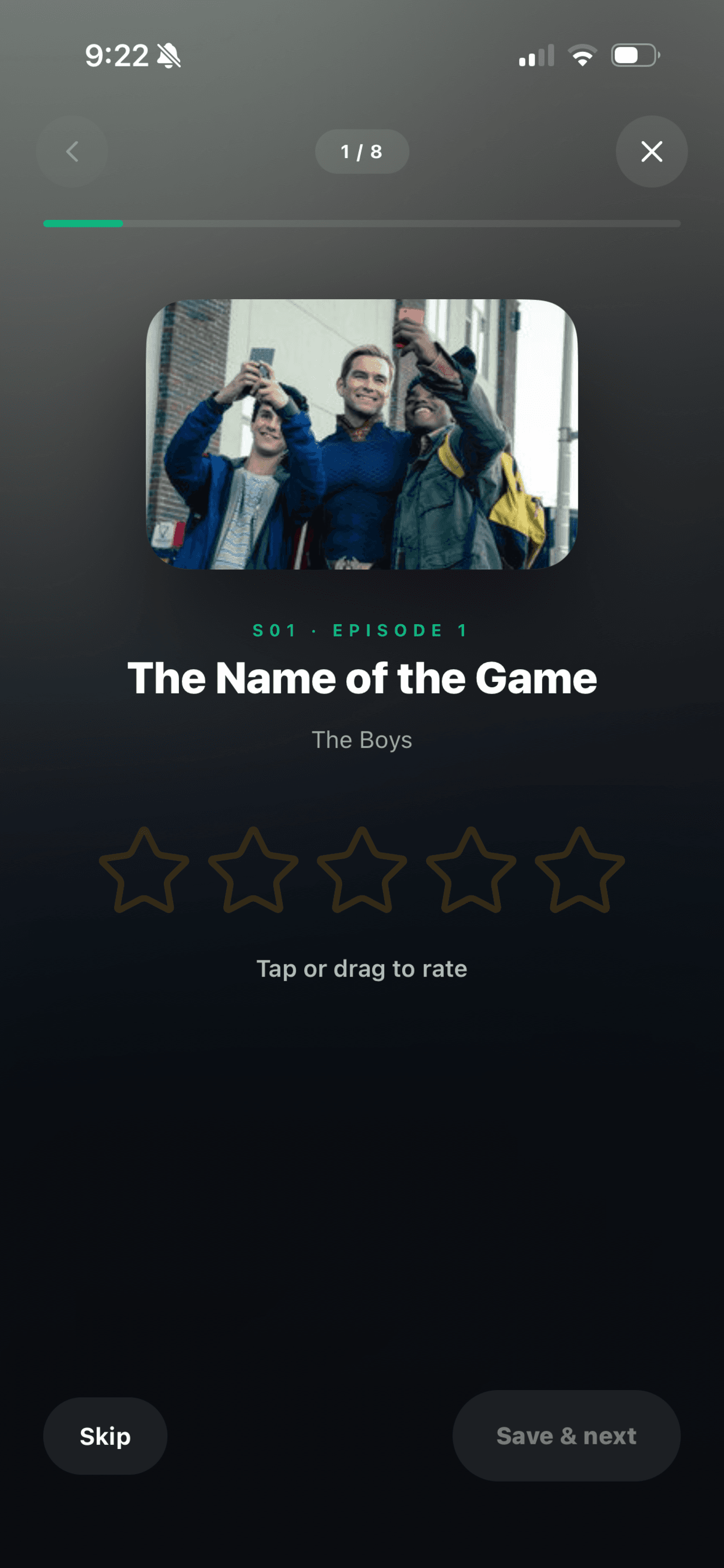
Open the rate flow on a show, drag through stars, and you're done. No menus, no taps lost to scrolling. Half-stars for half-opinions.
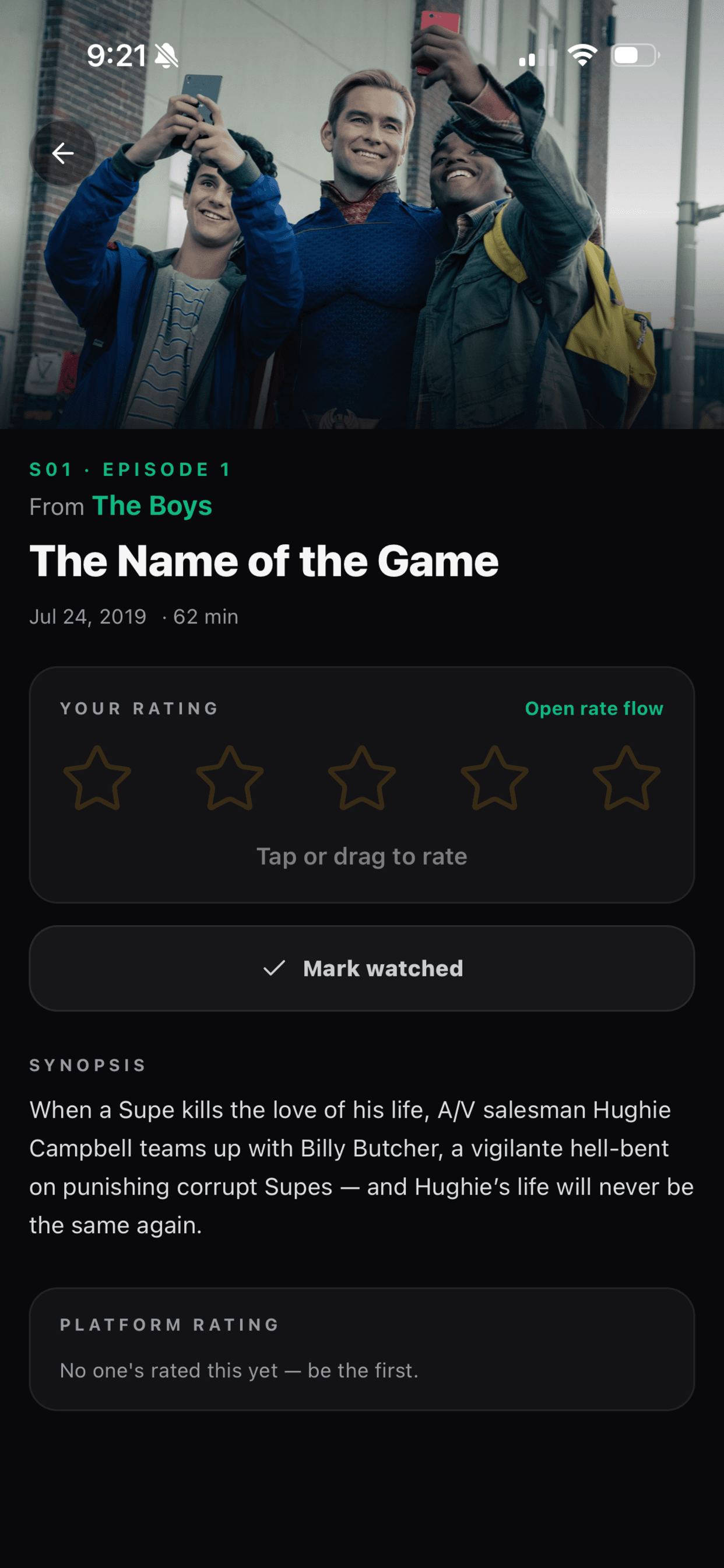
Cast, synopsis, your rating history, what your friends thought — without spoiling anything you haven't watched yet.
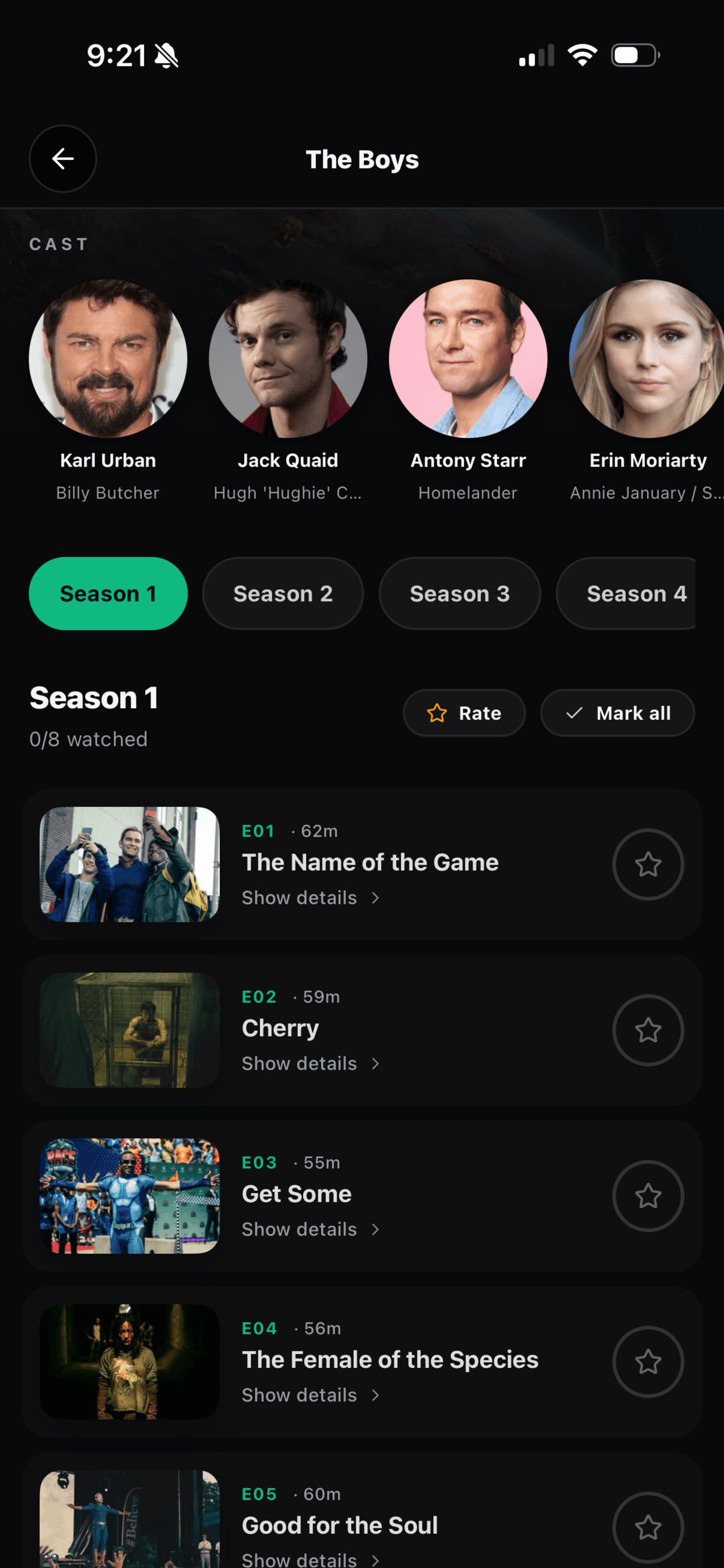
Jump seasons in a tap. Mark a whole season watched. See where you are at a glance, with progress and total runtime called out.
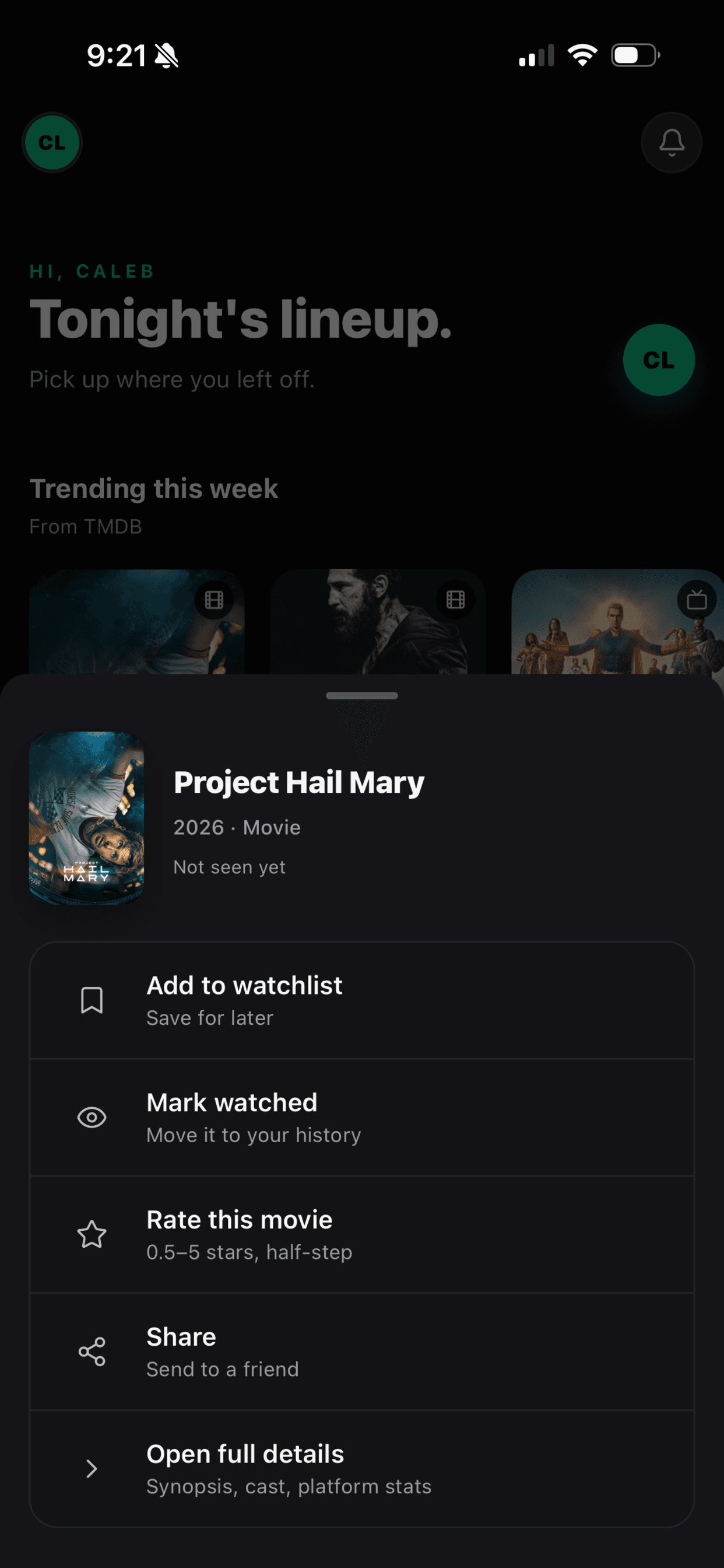
Add to watchlist, mark watched, rate, or share — the action sheet is the single most-used surface in the app, and it's lightning quick.
Search, browse trending, or scroll your friends' recent ratings. Spoilers stay hidden until you say otherwise.
One tap saves a show to your watchlist. Two more flip it into your active queue when you start a season.
Mark episodes as you finish them. CineIt auto-suggests rating when you complete the last episode of a season.
Pull up any show and see exactly how your taste lines up with the people you follow. Argue accordingly.
CineIt 1.0 is brand new — built in a weekend, polished since. Here's what shipped.
Drag through stars, in 0.5 increments, on every episode. The rate flow lets you tear through a whole season in under a minute.
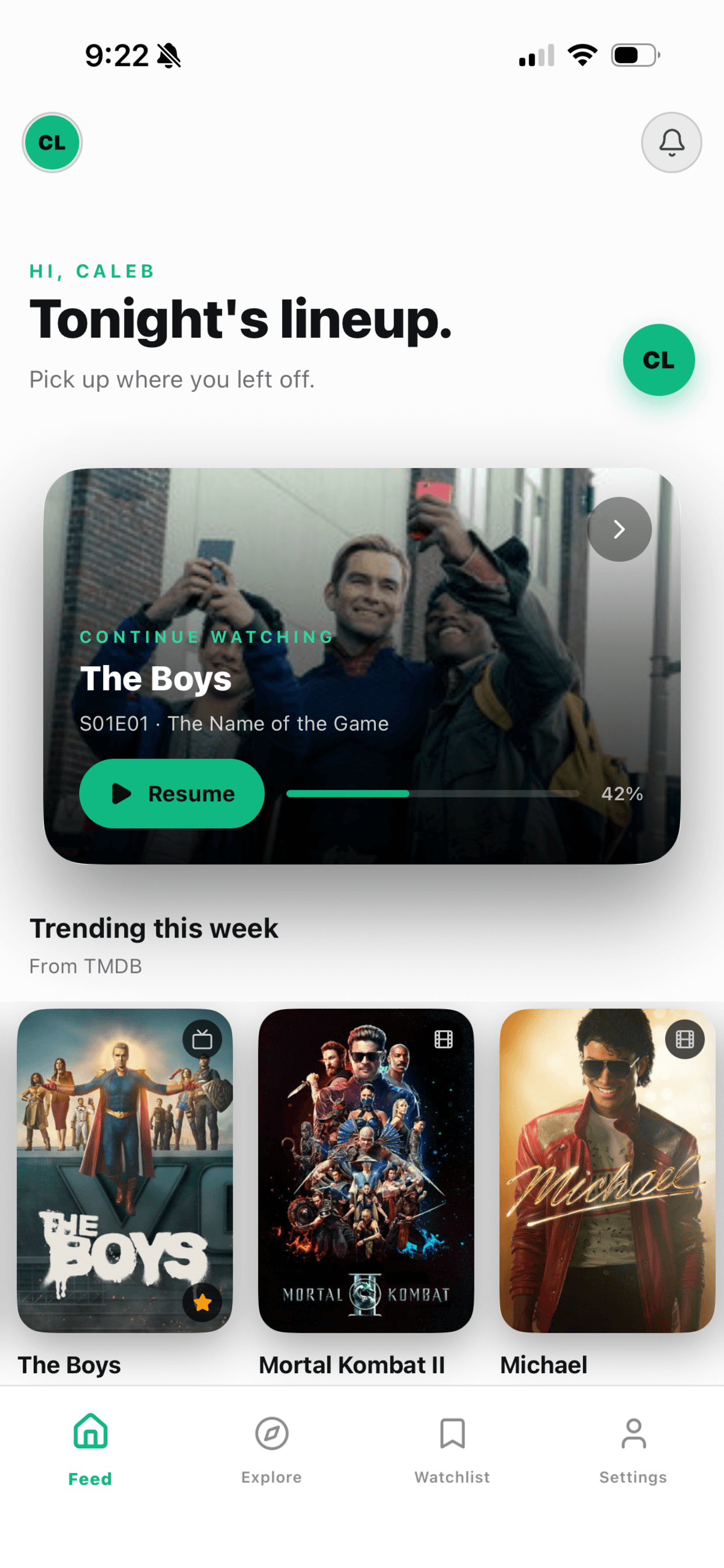
Mark watched on your phone, see the progress bar fill in on the web. Your library, your watchlist, and your place in any season — synced everywhere.
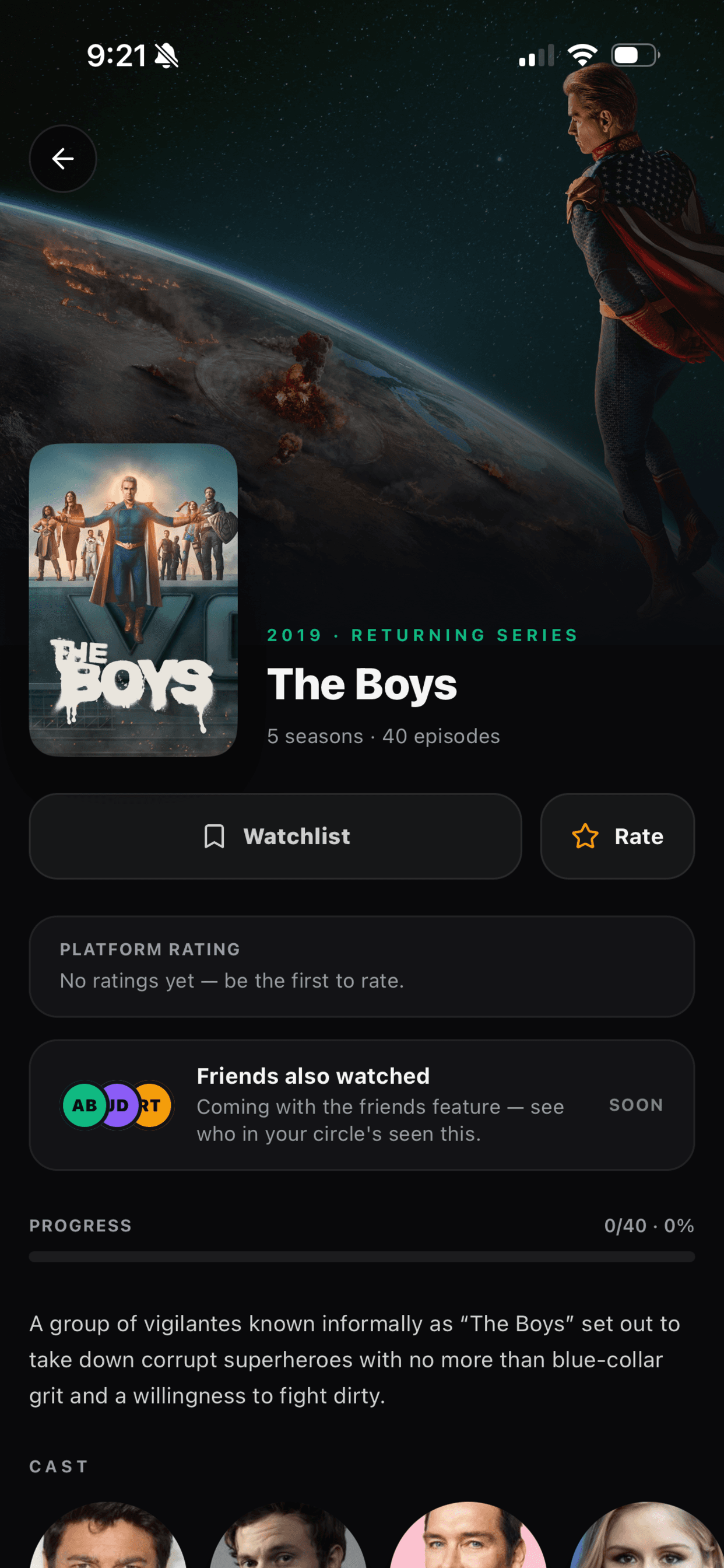
See exactly what your friends have rated — without finding out what happens. Per-episode comments stay hidden until you've caught up.
Q1 2026 · Shipped
Episode-by-episode rating
Q1 2026 · Shipped
Friend activity feed
Q1 2026 · Shipped
Light mode 2.0
Q2 2026 · In progress
Annual watch wrap
Q2 2026 · In progress
Spoiler-safe comments
Q3 2026 · Next up
Apple TV companion app
Q3 2026 · Next up
Calendar widgets